The SHOKZ OpenComm2 UC Open-Ear Headset review centers on a work headset built for extended calls while leaving the ears uncovered.
Its boom microphone, Loop120 USB-C adapter, physical controls, and talk-time emphasis make it a fit for people who move between computer meetings and everyday tasks.
OpenComm2 UC Review Summary
The quick verdict
500+ ratings
Read Amazon ReviewsSHOKZ OpenComm2 UC
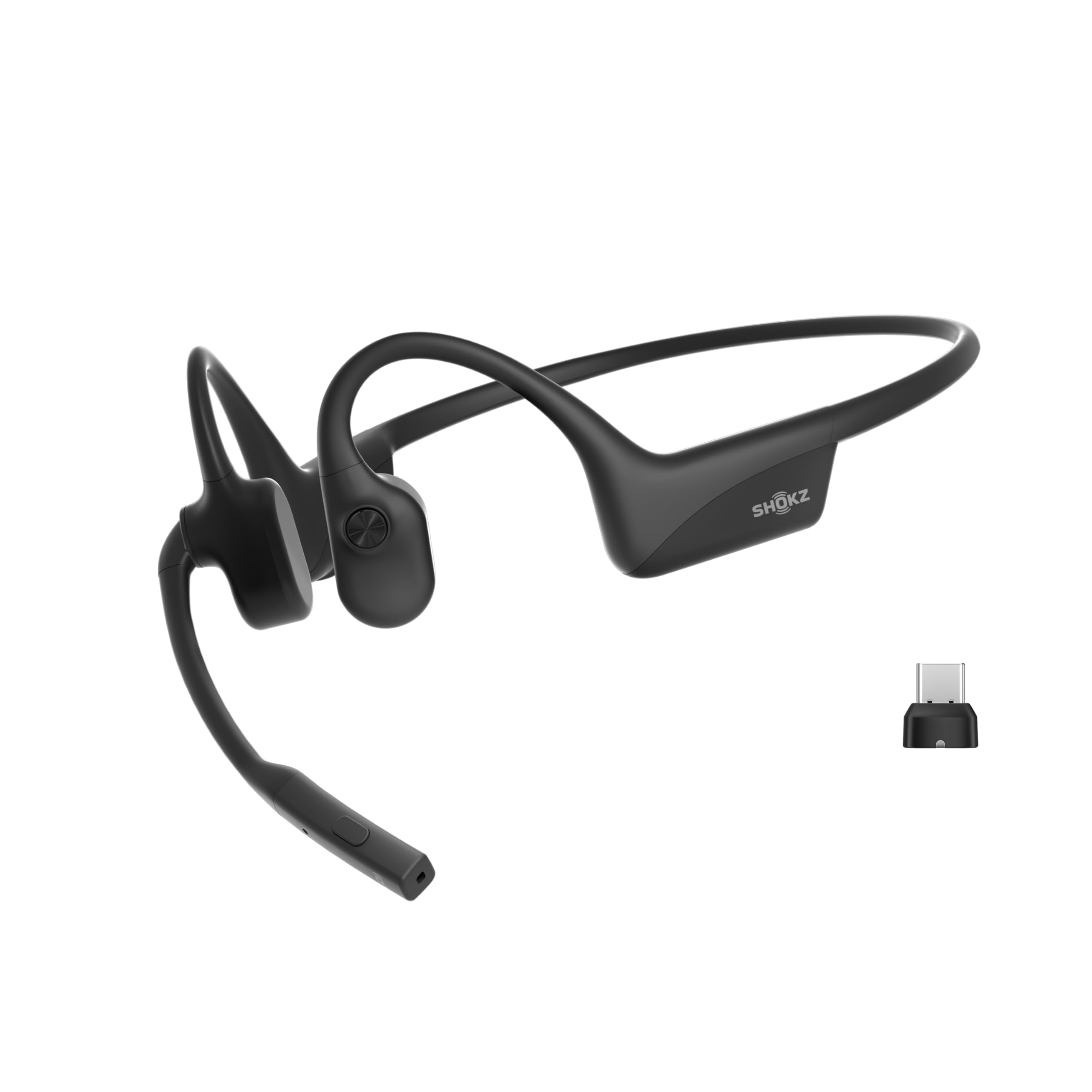
A work-focused headset for people who want a boom mic, open-ear comfort, and a USB-C adapter for PC or Mac calls.
- Open-ear bone conduction stereo headset with SHOKZ 7th-generation Bone Conduction Technology and PremiumPitch 2.0 audio.
- Noise-canceling boom microphone with DSP technology for call-focused use.
- Loop120 wireless USB-C adapter designed for PC and Mac connectivity; Zoom-Certified.
- Lightweight 35 g build with a flexible frame and soft silicone finish.

Pros
- Boom microphone and DSP noise-canceling technology are tailored to voice calls.
- USB-C adapter and Zoom certification make the computer-work use case straightforward.
Consider before buying
- The open-ear design leaves surrounding conversations and noise audible, which can make concentration harder in busy spaces.
- Its work-call emphasis may not suit listeners seeking immersive or isolated music playback.
Read the full review summary
OpenComm2 UC pairs bone conduction audio with a noise-canceling microphone and a computer-oriented wireless adapter.
Zoom certification and onboard mute and volume controls are aimed at reducing friction during calls, while the open-ear frame avoids the sealed-in feeling of conventional headphones.
Its strongest fit is a remote or hybrid worker who values call handling, awareness of the room, and a lightweight design.
The tradeoff is focus: an open-ear headset does not isolate the listener from nearby sound, and the audio profile is framed around calls and practical listening rather than immersive music.
The buying factors
OpenComm2 UC Scorecard
Editorial scores reflect listed features and buyer fit; they are not laboratory measurements or customer ratings.
Call-focused design
A boom mic with DSP noise-canceling technology and physical mute controls gives calls clear priority in the feature set.
Computer setup
The included Loop120 USB-C adapter is designed for PC and Mac use, and the headset is Zoom-Certified.
All-day wear potential
At 35 g, it has a flexible frame and soft silicone finish intended for mobile workwear.
Open-ear awareness
The ear-free design can help the wearer remain aware of nearby conversation and activity, though it does not block environmental sound.
Battery flexibility
Up to 16 hours of talk time, 8 hours of listening, and a quick-charge feature suit varied workdays.
Music immersion
Bone conduction stereo audio supports listening, but the product's emphasis is calls and practical work use rather than isolation.
Key Features and Specifications of OpenComm2 UC
- Open-ear bone conduction stereo headset with SHOKZ 7th-generation Bone Conduction Technology and PremiumPitch 2.0 audio.
- Noise-canceling boom microphone with DSP technology for call-focused use.
- Loop120 wireless USB-C adapter designed for PC and Mac connectivity; Zoom-Certified.
- Lightweight 35 g build with a flexible frame and soft silicone finish.
- IP55 water-resistant design for mobile workwear.
- Physical controls for volume, call mute and unmute, and audio playback.
- Battery life of up to 16 hours of talk time or 8 hours of listening per charge, with a five-minute quick charge providing up to two hours of talk time.
Pros and Cons of OpenComm2 UC
Pros
- Boom microphone and DSP noise-canceling technology are tailored to voice calls.
- USB-C adapter and Zoom certification make the computer-work use case straightforward.
- Open-ear wearing style leaves the ear canals uncovered.
- Lightweight frame and physical controls are practical for moving through a workday.
- Talk-time capacity and a short quick-charge option offer useful battery flexibility.
Consider before buying
- The open-ear design leaves surrounding conversations and noise audible, which can make concentration harder in busy spaces.
- Its work-call emphasis may not suit listeners seeking immersive or isolated music playback.
- The USB-C adapter is most relevant when the buyer's computer setup supports that connection; check port compatibility before choosing it.
Who Should Buy OpenComm2 UC?
Good fit
Consider OpenComm2 UC if your day includes frequent video meetings and you want to keep your ears uncovered while speaking and listening.
The boom mic, physical mute control, and computer-focused adapter are useful when call handling matters more than a compact, music-first design.
It may also suit people who move between desk work and other tasks and prefer not to remove headphones to hear nearby activity.
The lightweight construction and stated talk-time capacity support that routine, while the IP55 design adds a measure of water resistance for mobile workwear.
Before buying, check that the USB-C adapter fits your computer setup and think about how much background sound you can tolerate.
Open-ear listening can make a shared room easier to hear, but it will not create a quiet listening bubble.
Who should skip it
Skip it if you need headphones to reduce surrounding noise during focused work, travel, or listening. Its open-ear construction is designed to keep the ears uncovered, so environmental sound remains part of the experience.
Choose a different style if music immersion is your main priority or if you prefer earbuds or headphones that sit over or inside the ears. OpenComm2 UC is organized around computer calls and work controls.
How the OpenComm2 UC Fits a Workday
Calls and microphone handling
The boom microphone places voice communication at the center of the design, with DSP noise-canceling technology intended to manage background sound on calls.
Physical mute and volume controls can be handy when you need to make quick adjustments without navigating computer menus.
Computer connection and meeting flow
The Loop120 USB-C adapter is designed for PC and Mac, and Zoom certification signals a focus on meeting software compatibility.
Buyers should still confirm their computer has a suitable USB-C port and that their preferred calling setup works as expected.
Open-ear comfort and awareness
Bone conduction audio and an uncovered ear design let the wearer hear some of the room while listening.
That can be useful for a home office or shared workspace, though it also means nearby speech and activity may compete with calls or audio.
Battery for calls and listening
The separate talk-time and listening figures make the headset's work orientation apparent: it is rated for up to 16 hours of calls or 8 hours of listening.
A five-minute charge providing up to two hours of talk time may help when a meeting is approaching and the battery is low.
Alternatives to OpenComm2 UC
Dual-driver alternative
9,000+ ratings
Read Amazon ReviewsSHOKZ OpenRun Pro 2
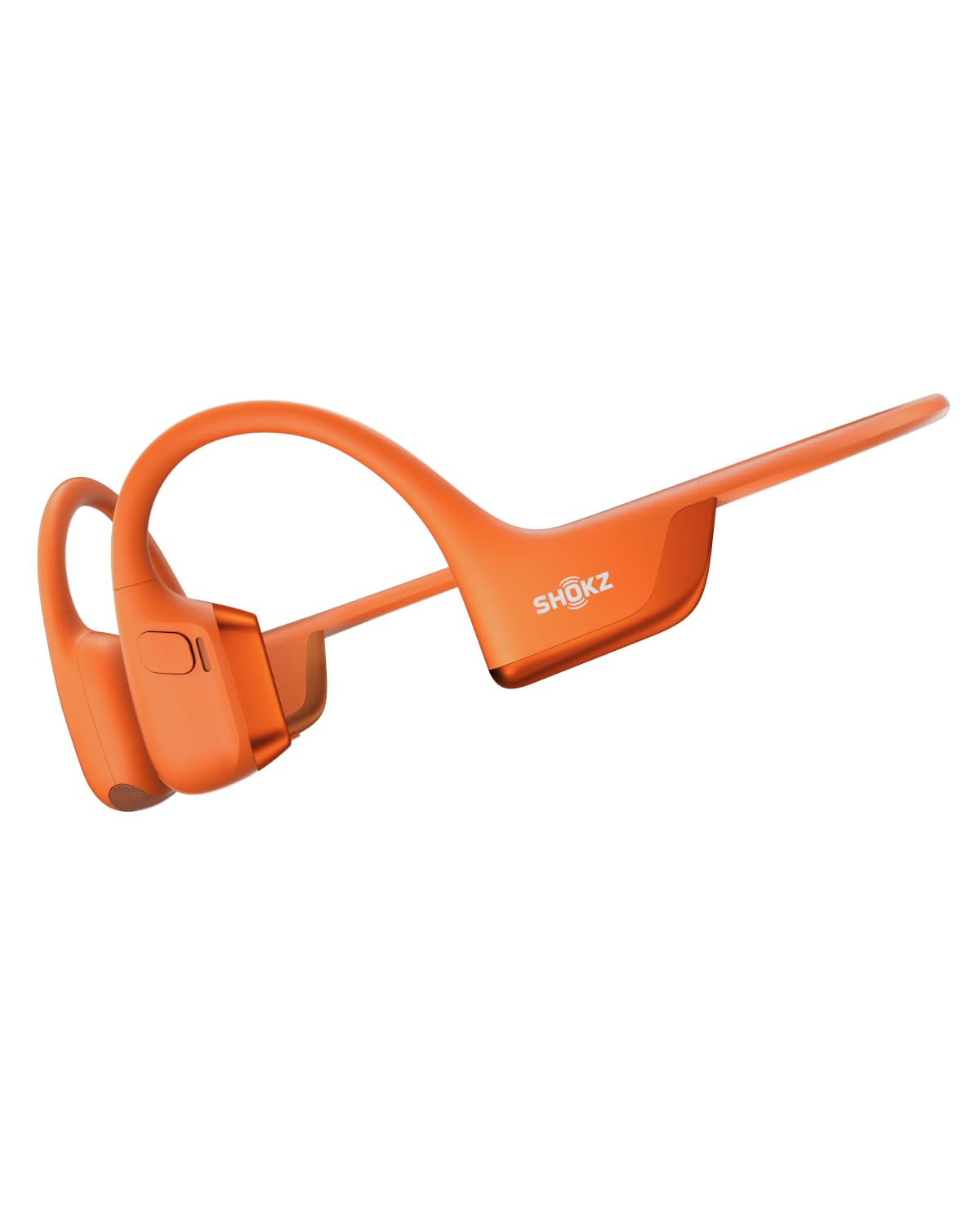
Choose OpenComm2 UC when computer meetings and call handling are the priority. OpenRun Pro 2 is a more relevant choice for exercise-focused listening and a broader audio presentation, based on its dual-driver design and workout fit.
- OpenRun Pro 2 is positioned for workouts and runs, combining bone and air conduction drivers, dedicated EQ modes, and up to 12 hours of audio.
- Its microphones include wind resistance and an AI noise reduction algorithm.
- OpenComm2 UC is centered on computer calls, with a boom microphone, Loop120 USB-C adapter, physical call controls, and up to 16 hours of talk time.
Battery-focused alternative
1,000+ ratings
Read Amazon ReviewsSHOKZ OpenDots 2
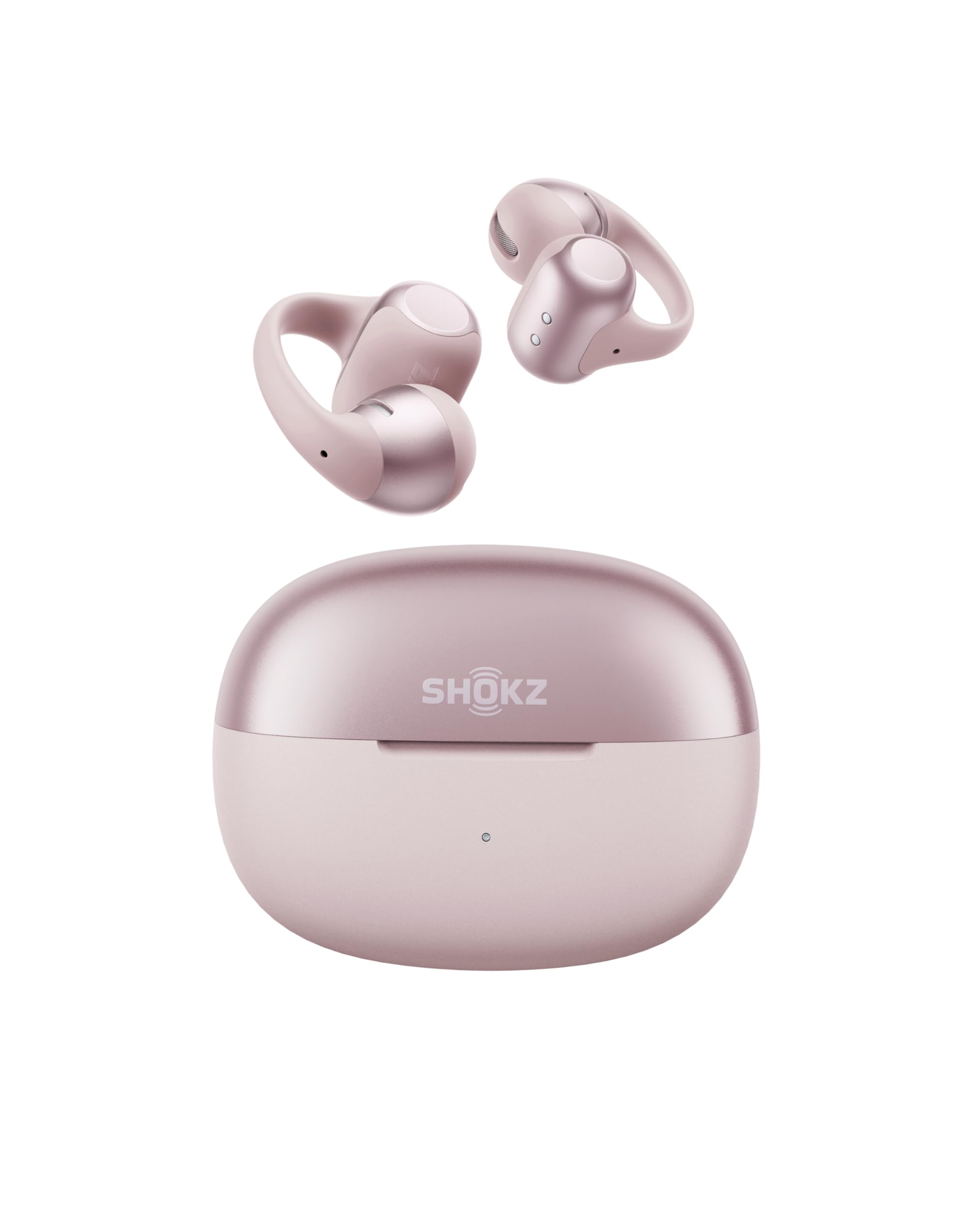
Pick OpenComm2 UC if a boom mic and computer-call setup matter most. OpenDots 2 may suit someone who prefers a compact clip-on earbud form and case-based charging, while retaining an open-ear listening style.
- OpenDots 2 uses clip-on earbuds with three microphones, app controls, multipoint pairing, and up to 10 hours of listening per charge or up to 40 hours with its case.
- OpenComm2 UC uses an open-ear headset frame and boom microphone, with a computer-oriented USB-C adapter and physical call controls.
Is OpenComm2 UC Worth It?
SHOKZ OpenComm2 UC is worth considering for people who spend substantial time on computer calls and want an open-ear fit with a boom mic, practical controls, and a PC or Mac adapter.
Its stated talk-time capacity and lightweight construction add to its appeal for a mobile work routine.
The key buying question is whether you want to hear your surroundings during calls.
If that suits your workspace and you value call-focused handling, OpenComm2 UC is a purposeful option; if you need isolation or a music-first experience, its open-ear work design is a poor match.
Your review at a glance
500+ ratings
Read Amazon ReviewsSHOKZ OpenComm2 UC
A work-focused headset for people who want a boom mic, open-ear comfort, and a USB-C adapter for PC or Mac calls.
- Open-ear bone conduction stereo headset with SHOKZ 7th-generation Bone Conduction Technology and PremiumPitch 2.0 audio.
- Noise-canceling boom microphone with DSP technology for call-focused use.
- Loop120 wireless USB-C adapter designed for PC and Mac connectivity; Zoom-Certified.
- Lightweight 35 g build with a flexible frame and soft silicone finish.